
Know your listing score before you hit publish
See a data-driven score out of 10 for any Amazon listing — yours or your competitors' — the instant you land on the page.
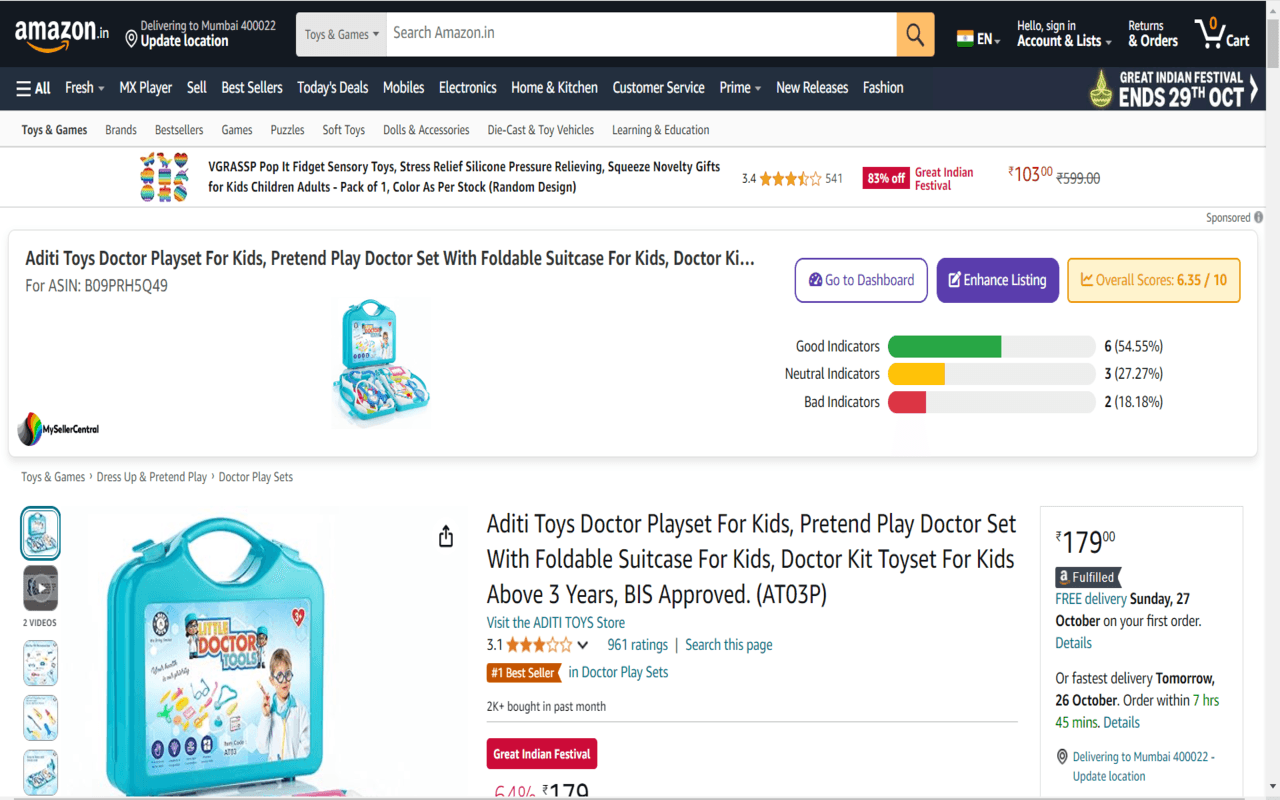
The problem
Optimizing listings shouldn't be guesswork
Most sellers have no objective read on how their listing stacks up — or how it compares to what's already winning in their category. MSC Extension turns that guesswork into a score.
How it works
Three steps, right in your browser.
Install & log in
Free, using your MySellerCentral account.
No separate signup — one click from the Chrome Web Store.
Browse any listing
Yours or a competitor's — on any Amazon product page.
Benchmark listings you don't own to see what's working in your category.
See the score instantly
A score out of 10 appears right on the page, with recommendations.
Backed by an 11-point checklist and a Good / Neutral / Bad breakdown.
What you get
Instant listing score
A score out of 10, based on real category data.
11-point checklist
Covers the factors that actually move your ranking.
Competitor scoring
Check any competitor's ASIN, not just your own.
Good / Neutral / Bad breakdown
See exactly where a listing wins and where it doesn't.
Personalized recommendations
Practical, explained tips — like knowing your 190-character title is ideal.
Completely free
Included with your MySellerCentral login.
See it in action
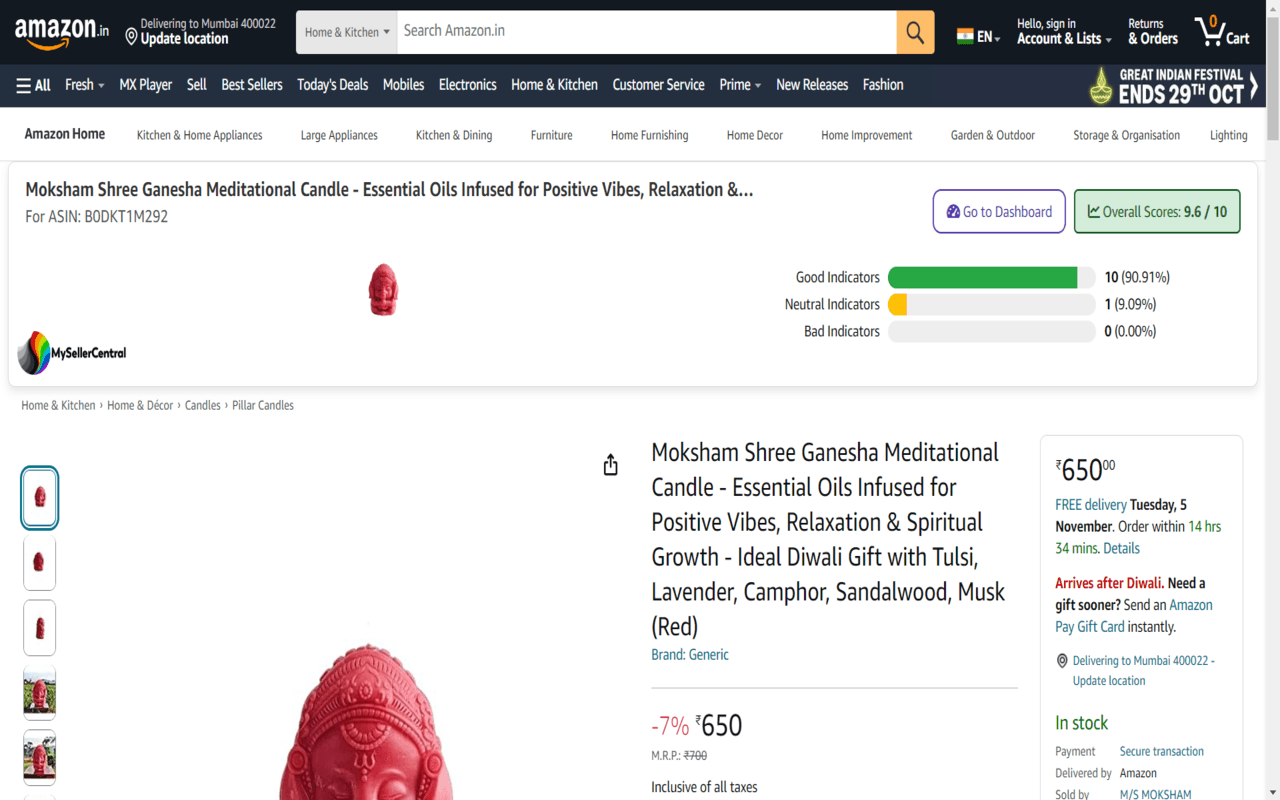
The score appears right on the listing page.
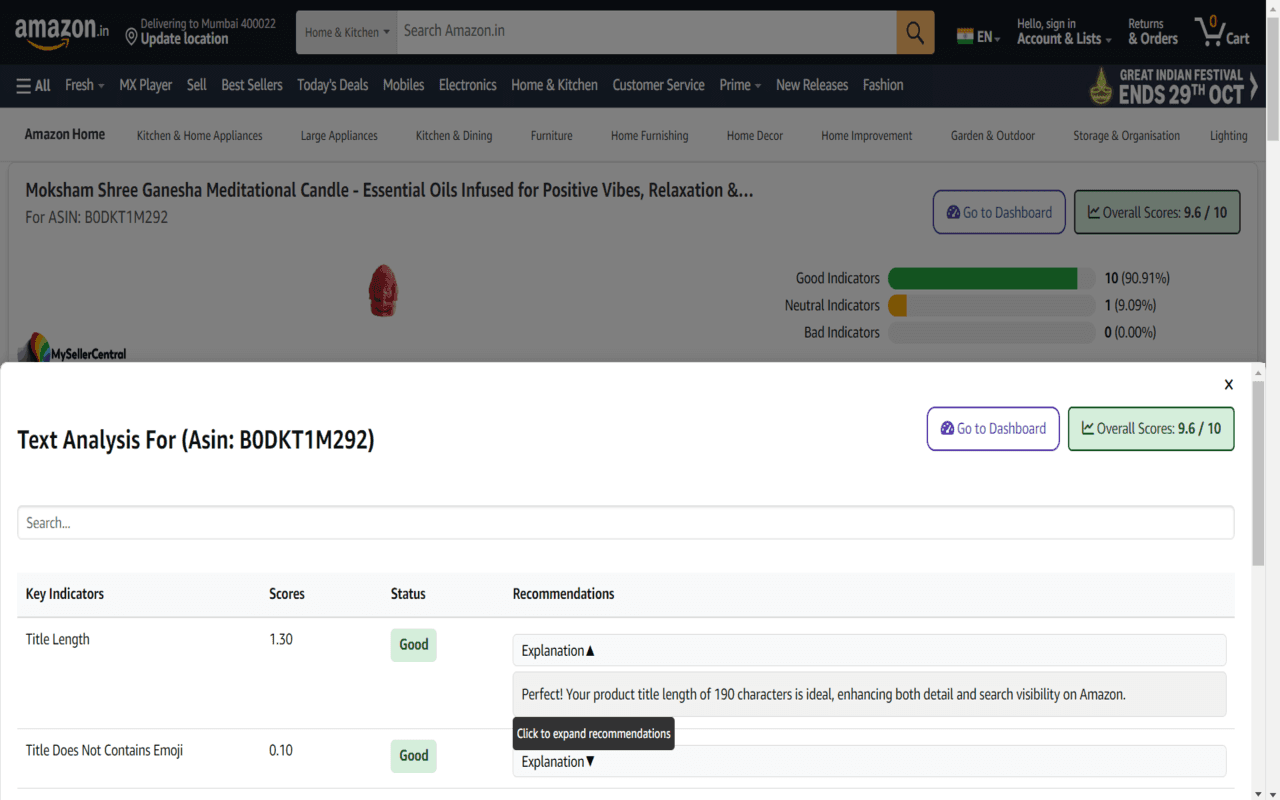
Every indicator, explained — like why a 190-character title scores well.
Start scoring your listings
Free with your MySellerCentral account.